
 Español
 English
 Français
 Italiano
Find water fountains near you
Travelling or out on a trail
Find out where to refill your bottle and see what others who’ve stopped there have shared.
Meet AquaFinder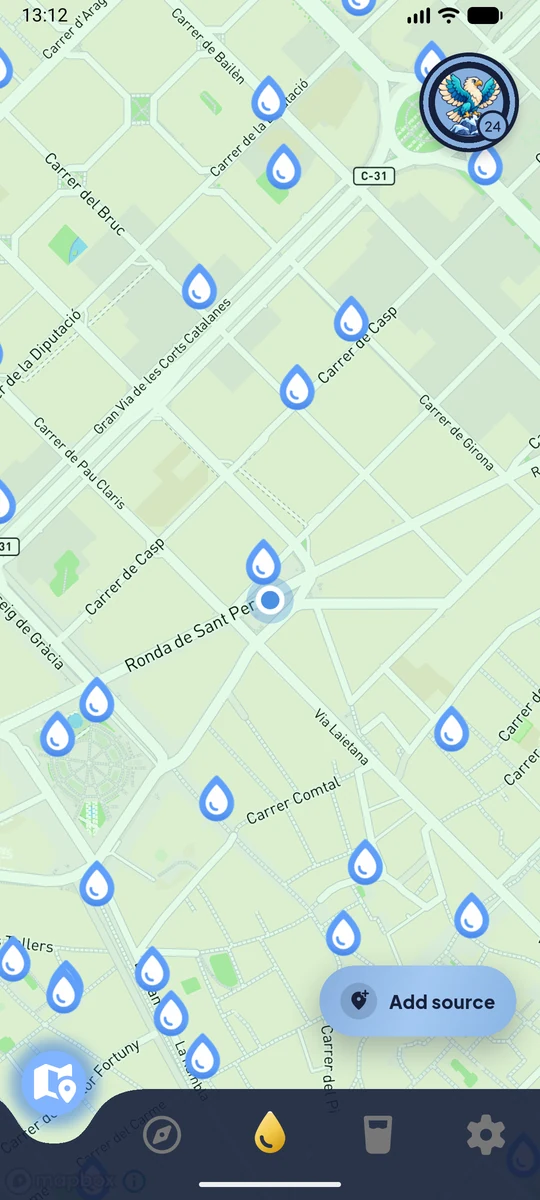
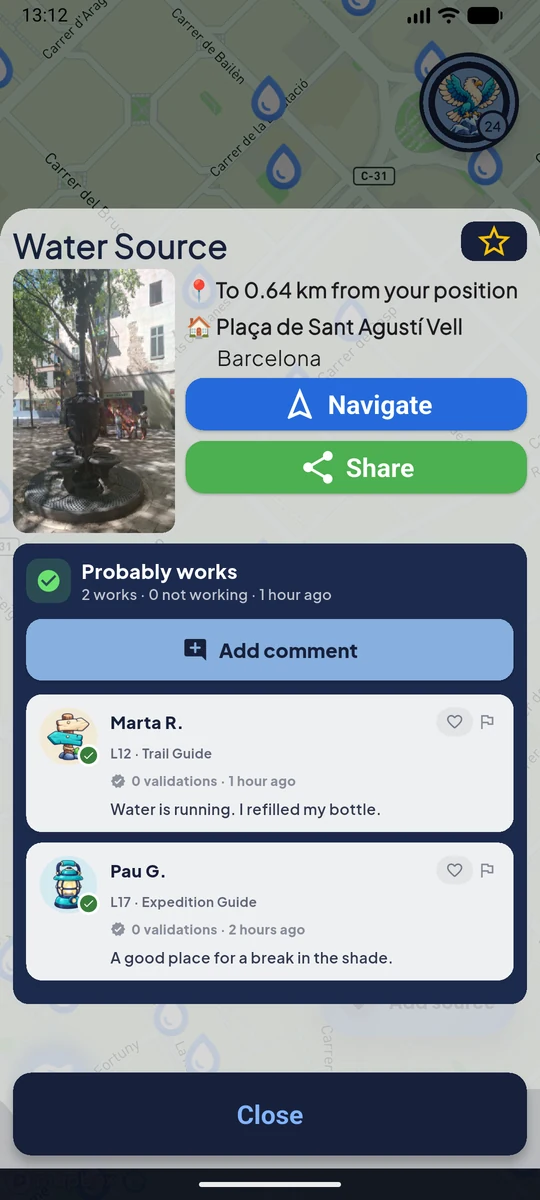
The community keeps fountain status up to date.
People using AquaFinder share photos and report whether water is flowing or anything has changed. See what they found on their last visit and decide where to stop.
- See what the fountain looks like before you head there.
- Check reports from people who’ve stopped there.
- If something has changed, share an update to help the next person.
Reports reflect the condition of the fountain at the time of the visit.
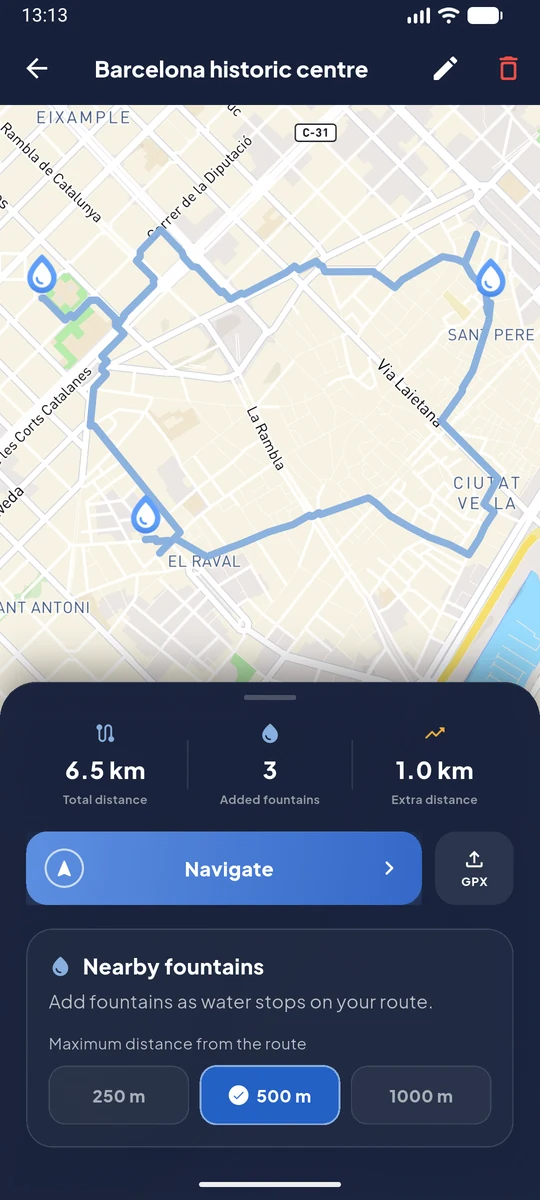
Add water stops to your GPX route
- Import the GPX file for your next outing.
- Find fountains near your route and add them as stops.
- Export the GPX with your stops or follow the route in AquaFinder.
Users love AquaFinder
Real reviews posted on the app stores
Read more reviews on App Store · Google Play
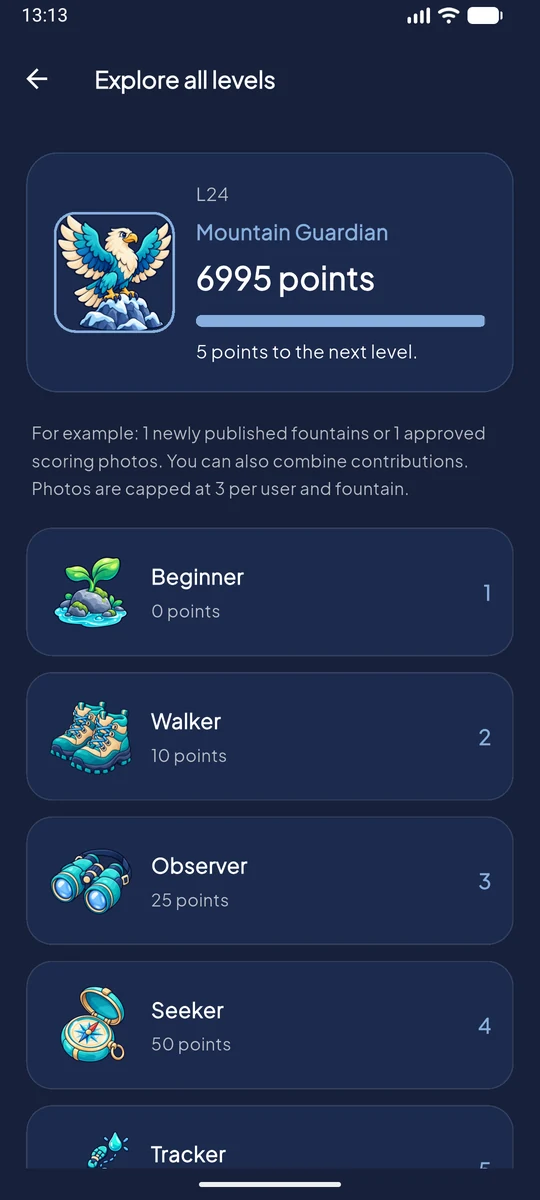
Become the best fountain explorer
Found a fountain that isn’t on the map yet? Add it. Every fountain you discover, photo you share and check you make helps you earn points and level up.
- Discover fountains and leave your mark on the map.
- Earn points and climb the community leaderboard.
- Level up and unlock new rewards.
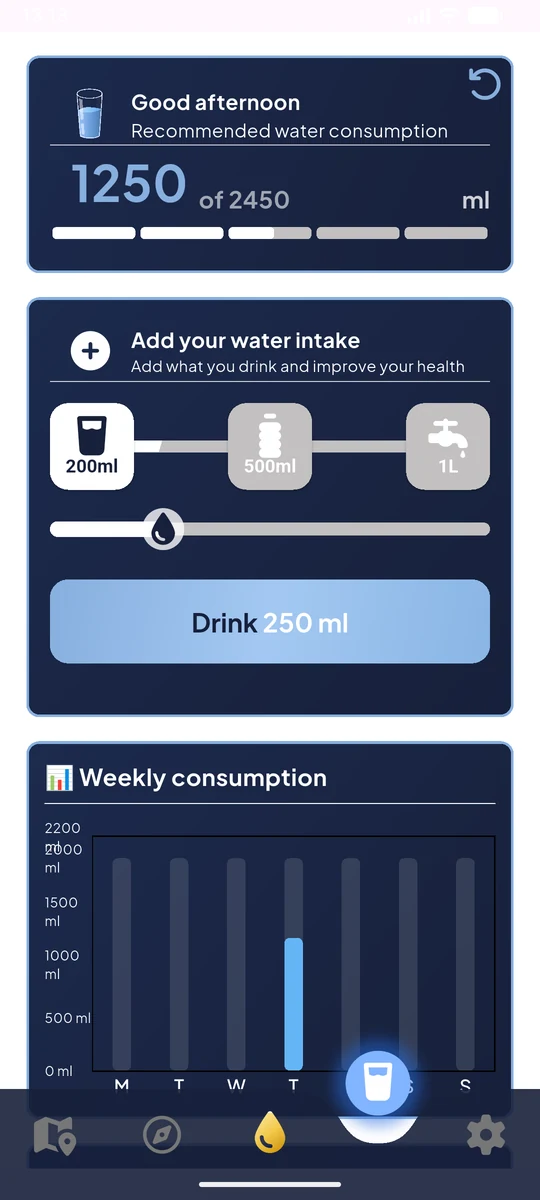
The water you drink matters too.
Log your water, follow your daily goal and set reminders. A small habit to support your hydration, wherever the day takes you.
- Water intake log
- Daily goals
- Personal reminders
FAQ
AquaFinder FAQs
How do I find water fountains near me?
Open the AquaFinder map and allow location access to see nearby fountains. If you’re planning a trip or prefer to keep your location private, search for a town or explore the area manually on the map.
How can I check if a water fountain is working before I go?
Open the fountain’s details to see photos, comments and recent reports from the community. Check the date of each report to see when someone last shared what they found.
Does a working fountain mean the water is safe to drink?
No. A report that a fountain works tells you whether water was flowing at the time of the visit. Check signs at the fountain or guidance from the responsible authority to find out whether the water is safe to drink. If in doubt, find another refill point.
How do I add water stops to a GPX route?
Import your GPX file into AquaFinder, look for fountains near the route and pick the ones you want to add as stops. You can follow the route on the map or export the GPX with your stops included.
Can I find water fountains without mobile signal?
With AquaFinder Plus, download a map area with its fountains and photos before you leave. You can look up fountains in that area offline. The download does not include offline route navigation or spoken directions.
How do I add a fountain or report that it isn’t working?
If a fountain is missing, use the add fountain option and mark its location on the map. If it’s already listed, open its details to share a photo or tell the community whether water is flowing.
Is AquaFinder free on iPhone and Android?
Yes. AquaFinder is free to download from the App Store and Google Play. The free version lets you browse a selection of fountains, contribute to the community and log your water intake. You can watch an ad to unlock all fountains in the area. Plus is optional.
AQUAFINDER
Your next route, with water stops planned
Find fountains near your route and choose where to refill before you set off.